
Nockster for
your phone.
Open-source Nockchain wallets for iOS and Android. Send and receive nocks, manage multiple wallets, and view your transaction history.
View source code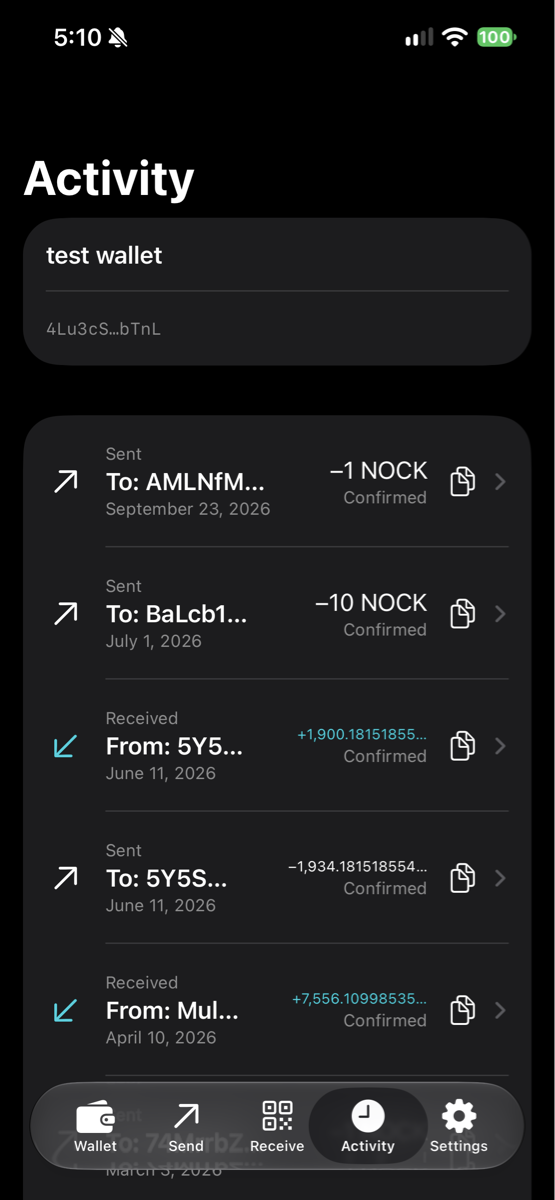
Send and receive
Send to an address, share your receiving details, and check your balance from your phone.
Multiple wallets
Create or import wallets, give them names, and switch between them without losing your place.
Transaction history
See your transaction history, check pending payments, and follow transactions on Nockblocks.
Bridge to Base
Bridge nocks to Base from the Send tab. Review the destination, protocol fee, and expected amount before you confirm.
Bridge deposits start at 100,000 nocks. The protocol deducts approximately 0.3% from the payout. Allow at least 400 Nockchain confirmations, plus bridge processing.
Get the mobile app.
For iOS and Android.
Questions
Do I need a hardware wallet?
No. The mobile apps can create and use software wallets on their own. Nockster hardware is a separate option for keeping signing keys on a dedicated device. Explore the hardware wallet.
Who holds my recovery phrase?
Your recovery phrase and private keys stay on your device, encrypted in your wallet vault. When device unlocking is enabled, access is protected by Secure Enclave on iOS or hardware-backed Android Keystore on supported devices. Keep a secure backup of your recovery phrase: we cannot recover it for you. Read our privacy policy.
Where can I get help?
Email howdy@swps.io or open an issue on GitHub. Never include your recovery phrase, private key, or wallet password.